Buyers shopping for clothes online want to see the garment on a person. How long is the kurta? Where does the neckline sit? How does the saree pallu fall? A flat garment on the floor cannot answer these questions, and a mannequin only partly can.
For most small fashion sellers, though, a model shoot for every new design is not realistic. An AI model photoshoot fills that gap: you photograph the garment flat or on a mannequin, and the software creates images of a model wearing it. This guide explains how it works, how to prepare your photos, and the specific care Indian ethnic wear needs.
How an AI model photoshoot works
The idea is simple. You provide a clear photo of the garment, and the AI creates a new photograph of a model wearing that same garment, in a pose and setting you choose.
There are three common starting points:
| Starting photo | Best for | What to watch |
|---|---|---|
| Flat-lay | Kurtas, tops, shirts, kidswear | Garment must be laid out flat and fully visible |
| Mannequin | Dresses, kurta sets, structured pieces | Mannequin hides fit details at the back and sides |
| Existing model photo | Restyling old shoots with a new model or scene | Garment must be clearly visible, not covered by hair or hands |
The output keeps your garment and replaces everything else: the model, pose, lighting and background.
Preparing the garment photo
The quality of the result depends heavily on the input. A few minutes of preparation saves many retries.
For flat-lays
- Iron the garment. Creases in the photo can carry into the result.
- Lay it on a plain, contrasting surface. A light garment on a darker sheet, or a dark garment on a light one.
- Spread it fully. Sleeves out, hem straight, neckline visible.
- Shoot from directly above. Stand on a stool if needed. Angled shots distort the shape.
- Use even daylight. No harsh shadows across the fabric.
For mannequins
- Fit the garment properly, with clips at the back if it is loose.
- Shoot straight on at chest height.
- Keep the background plain so the garment edges are clear.
One clear, sharp photo is worth more than five rushed ones. Blurry inputs give blurry details, especially on prints and embroidery.
Ethnic wear needs extra care
Indian ethnic wear is rich in details that matter to buyers and are easy for any image tool to get wrong.
Sarees
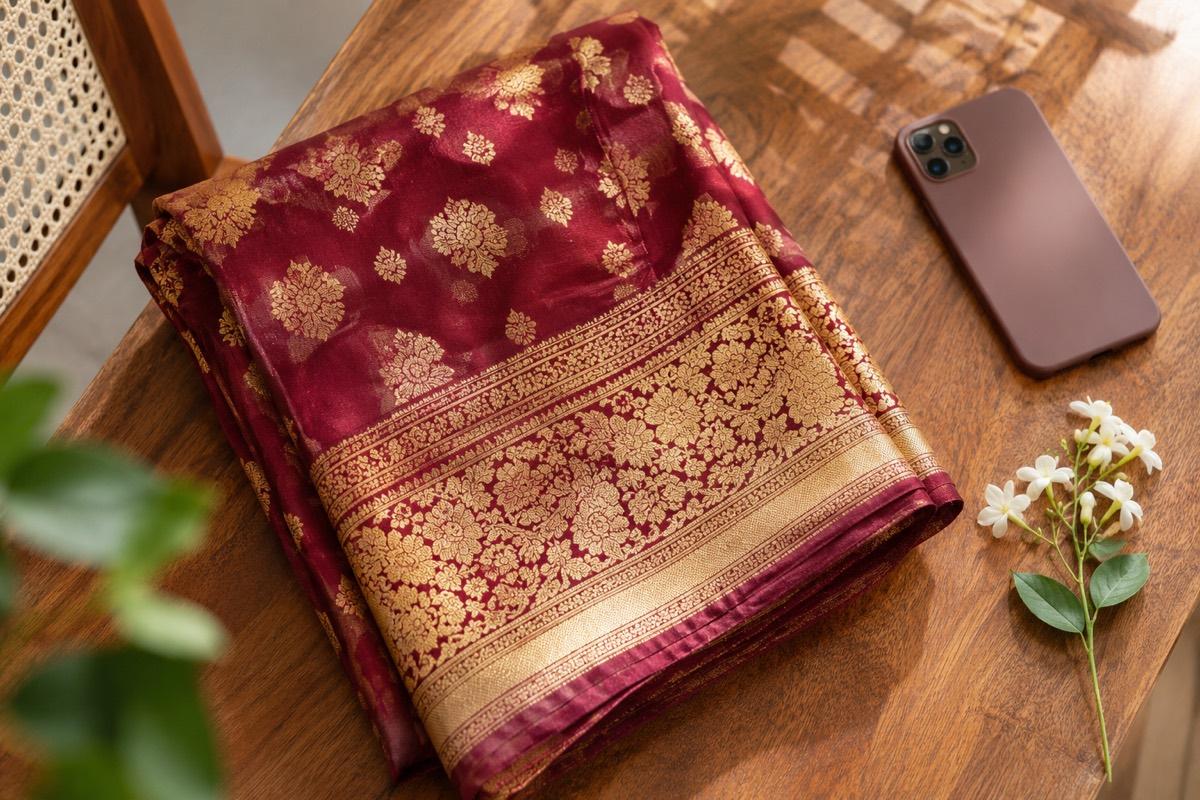
A saree is not one shape. Pleats, the pallu, the border and the blouse all have to read correctly. Photograph the saree so the border and pallu design are clearly visible, and include a separate close-up of the pallu and border. After generating, check that the border pattern, pallu motifs and colour all match the real saree. Sarees with heavy zari work need especially close checking.
Kurtas and kurta sets
Check the length (does the kurta end at the hip, knee or calf?), the neckline shape, the sleeve length and the side slits. For sets, make sure the bottom and dupatta match the real ones, not just the kurta.
Printed and embroidered pieces
All-over prints, block prints, mirror work and thread embroidery are where accuracy matters most. Zoom in on the result and compare it with the real garment. If the motif has changed, regenerate.
Lehengas, gowns and kidswear
Heavily flared pieces like lehengas and anarkalis lose their shape when laid flat, so a mannequin or hanger photo usually works better as the starting point. Make sure the full flare is visible and the dupatta is photographed separately if it has its own border or embroidery. For kidswear, keep the input simple and check that the generated model is clearly a child of the right age for the size you are selling.
Fabric and texture
Buyers judge fabric from photos more than sellers realise. Cotton should look matte, silk should have a soft sheen, georgette should look light and slightly sheer. If a generated image makes cotton look shiny or chiffon look heavy, the buyer's expectation is wrong before the parcel even ships. Add a real close-up photo of the fabric to your listing alongside the on-model shots.
Choosing model, pose and setting
A good AI model shoot is about consistency as much as quality.
- Pick a model that suits your buyer and your range. Keep the same model across a collection.
- Use a small set of poses. Front standing, three-quarter and a gentle movement pose cover most needs.
- Choose a setting that fits your marketplace. Square on a clean backdrop for Meesho, portrait for Myntra, pure white for Amazon and Flipkart main images. Our Myntra catalogue photoshoot guide explains the portrait format in detail.
Accuracy checklist before listing
Run every generated image through these checks:
- Colour matches the real garment in daylight
- Print, embroidery and border details are correct
- Length, neckline and sleeves match the real garment
- No extra pockets, buttons or design elements have appeared
- Hands, face and feet look natural
- The garment is the clear focus of the image
AI on-model images should show buyers what they will actually receive. If a result flatters the garment beyond reality, you will pay for it in returns.
How VisionLab helps
VisionLab's Clothes to Model Photo mode starts with a flat-lay or mannequin photo and creates on-model images of the same garment. Change Model and Scene restyles existing on-model shots with a different model or backdrop. You can pick the model, pose and background yourself, or let VisionLab build the scene, and choose a target marketplace so the framing and background follow its rules. For large ranges, Bulk Studio keeps the same model, pose and background across every product.
New accounts get 5 free credits to start, no card needed. Start free and put your next design on a model today.
Frequently asked questions
What is an AI model photoshoot?
It is a way to create on-model clothing photos from a flat-lay, mannequin or existing model photo. The AI keeps your garment and creates the model, pose, lighting and background.
Does it work for sarees?
It can, but sarees need care. Photograph the border and pallu clearly, and check the generated image for correct border patterns, pallu motifs and colour before listing.
Is a flat-lay or a mannequin photo better?
Both work. Flat-lays suit kurtas, tops and kidswear. Mannequins help with structured pieces and sets. Either way, the photo should be sharp, evenly lit and show the full garment.
Can I use the same model across my whole catalogue?
Yes, and you should. Using one model and a small set of poses makes a collection look like a single, professional shoot.
Will the garment look exactly the same?
Good tools are built to preserve the garment's colour, print and shape, but always compare the result with the real piece. Regenerate if any detail has changed.