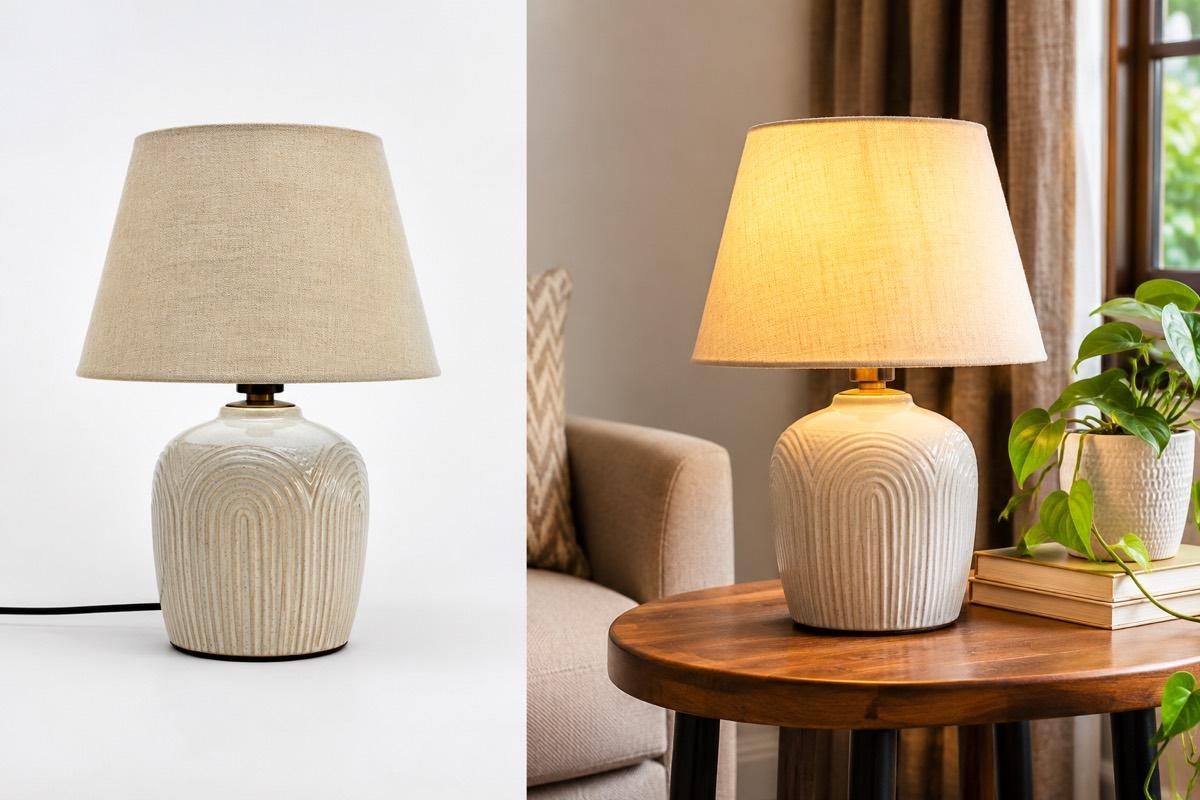

Scroll through Instagram or YouTube on any evening and you will see how much shopping has moved into short vertical video. Sellers who once posted a single product photo now compete with reels: a kurta swirling as a model turns, a serum dropping onto a fingertip, a lamp switching on in a dark room.
For a small seller, video feels expensive and slow. It does not have to be. This article explains why short vertical video matters, what a good product reel should show in just a few seconds, and how to make reels from one product photo.
Why short video matters for sellers
Short vertical video sits at the centre of how many Indian shoppers discover products on their phones, through Instagram Reels and YouTube Shorts.
Video does things a still photo cannot:
- Shows movement. Fabric flow, the swing of earrings, the pour of a drink
- Shows scale. A hand holding a product makes size obvious
- Shows use. How a product opens, switches on or is applied
- Holds attention. Motion catches the eye in a feed full of stills
- Feels real. A model moving naturally makes a product feel tangible
A buyer who has seen a product move is less likely to be surprised when it arrives.
Why vertical, and why short
Phones are held upright. A vertical 9:16 video fills the whole screen, while horizontal video shows up as a thin strip with empty space above and below. For social feeds, vertical is the default.
Short matters because viewers decide in the first second or two whether to keep watching. A five-second reel that shows the product immediately often works better than a thirty-second video that takes ten seconds to get going. Short clips also loop, so the product is seen more than once.
What a 5-second product reel should show
Five seconds is enough for one clear idea. Do not try to show everything.
| Category | One idea to show |
|---|---|
| Apparel | Model turning to show fit and fall |
| Jewellery | Light catching stones as the piece moves |
| Beauty | Product in hand, cap off, applied |
| Home | Product in a styled room, gentle camera move |
| Electronics | Product in use, screen or lights on |
| Food and beverage | Pour, steam, or a bite |
Rules for every reel
- Product in the first frame. No logo intro, no blank opening.
- One movement. A turn, a pour, a slow push in. Not all three.
- Clean background. The product should be the most interesting thing in the frame.
- Accurate product. Colour and details must match what the buyer receives.
- Room for captions. Leave space at the top and bottom where platform buttons and captions appear.
Three styles of product reel
Most product reels fall into three styles. Each suits a different job.
Product only
The product animates on its own against a clean studio background. This is the closest to a moving packshot and works well for jewellery, beauty, electronics and home goods, where the product itself is the star.
With a model
A model presents or wears the product. This is ideal for apparel and accessories, where buyers want to see how something looks on a person, and for jewellery, where scale matters.
Creator-style with voiceover
A UGC-style reel feels like a creator talking about the product, with a spoken voiceover. It suits products that need a short explanation, such as a new skincare product or a kitchen gadget. Keep the script short and plain: what it is, one benefit, one reason to buy.
Keep any spoken claims honest. Do not say a product does something it does not, and follow the rules that apply to your category, especially for beauty and food.
Where to use your reels
- Instagram Reels and your profile grid
- YouTube Shorts
- WhatsApp status and broadcast lists
- Your own website's product pages, if your store theme supports video
- Marketplace listings, where the platform allows video uploads; check each seller panel for format and length rules
One product photo can feed several of these at once.
From one photo to a reel
You do not need a separate video shoot. If you already have a clean product photo, it can be the starting point for a reel. The better the photo, the better the video, so start with a sharp, well-lit image. Our guide on turning a phone photo into a studio shot covers how to get that first image right.
A simple routine many sellers follow:
- Create the studio and on-model photos for the listing
- Pick the strongest image of each product
- Turn it into a short vertical reel
- Post the reel with a short caption and a link to the product
- Reuse it on WhatsApp and your website
Common reel mistakes
- Starting with a logo. Viewers scroll past before the product appears.
- Too much movement. Fast zooms and spins make it hard to see the product.
- Text over the product. Captions and offers should sit away from the item itself.
- Mismatched colour. A reel that shows a different shade from the listing photos creates doubt.
- Posting once and forgetting. Reuse a good reel across channels and pin your best ones to your profile.
How VisionLab helps
VisionLab's Generate Video turns a product photo into a 5-second vertical 9:16 reel for Reels and Shorts. Choose No Person to animate the product on its own against a clean studio background, With Model to have a model present your product, or UGC Reel for a creator-style reel with a spoken voiceover from a script you write. Pair it with AI Photoshoot images and Marketing Posters to cover listings and social from the same product.
Start free with 5 free credits, no card needed.
Frequently asked questions
Why should product videos be vertical?
Phones are held upright, so 9:16 vertical video fills the whole screen on Reels and Shorts. Horizontal video appears as a thin strip with empty space.
Is 5 seconds long enough for a product video?
Yes, for one clear idea, such as a model turning, light catching a stone or a product being poured. Show the product in the first frame and keep to one movement.
Can I make a product reel without a video shoot?
Yes. A clear product photo can be turned into a short vertical reel with tools like VisionLab's Generate Video, either product-only, with a model or as a voiceover reel.
Can I upload product reels to marketplaces?
Some marketplaces allow product videos on listings. Check each seller panel for whether video is supported and its format and length rules.